Creating a Playbook in Ansible: A Step-by-Step Guide
Ansible is a powerful automation tool that simplifies the management and configuration of servers. One of its core features is the ability to run playbooks, which are YAML files containing tasks to be executed on remote hosts. In this article, we'll walk through the process of creating and running a simple Ansible playbook that performs basic tasks on a specified host.
Prerequisites
Before we begin, ensure you have the following:
1. Ansible Installed: Ansible must be installed on your control node. You can install it using pip:
pip install ansible
2. SSH Access: Ensure you have SSH access to the remote host(s) you will manage with Ansible.
3. Sudo Privileges: The user account used must have sudo privileges if you plan to run tasks that require elevated permissions.
Step 1: Creating the Playbook File
First, let's create a new YAML file that will contain our playbook. Open a terminal and use the nano text editor to create and edit the file.
nano example1.yaml

Step 2: Writing the Playbook
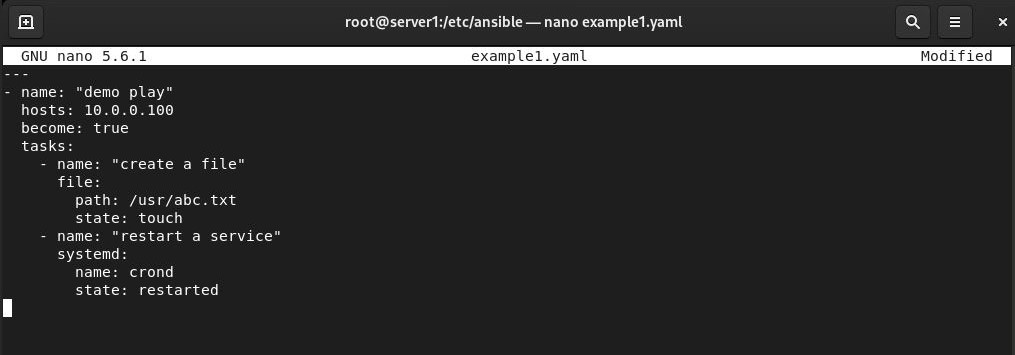
In the example1.yaml file, write the following content:
---
- name: "demo play"
  hosts: 10.0.0.100
  become: true
  tasks:
    - name: "create a file"
      file:
        path: /usr/abc.txt
        state: touch
    - name: "restart a service"
      systemd:
        name: crond
        state: restarted
Let's break down this playbook:
- ---: This indicates the beginning of a YAML file.
- - name: "demo play": This defines a play named "demo play".
- hosts: 10.0.0.100: Specifies the target host for this play. Replace 10.0.0.100 with the actual IP address or hostname of your target machine.
- become: true: This tells Ansible to run the tasks with sudo privileges.
- tasks: This section lists the tasks to be executed.
- - name: "create a file": The first task is named "create a file".
- file: Uses the Ansible
filemodule to create a file.- path: /usr/abc.txt: Specifies the path of the file to be created.
- state: touch: Ensures that the file exists (similar to the touch command in Linux).
- file: Uses the Ansible
- - name: "create a file": The first task is named "create a file".
- - name: "restart a service": The second task is named "restart a service".
- systemd: Uses the Ansible systemd module to manage services.
- name: crond: Specifies the service to be managed (in this case, crond).
- state: restarted": Restarts the service.
- systemd: Uses the Ansible systemd module to manage services.
Step 3: Running the Playbook
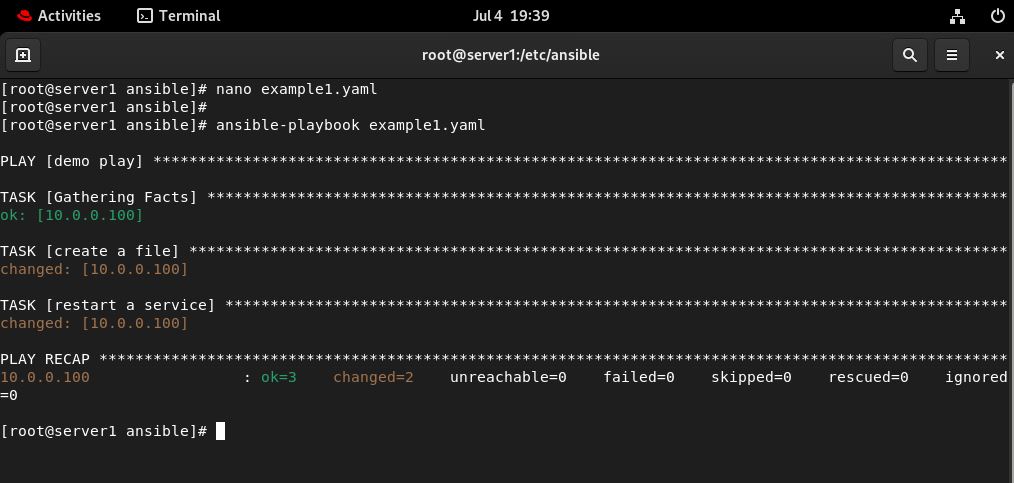
After saving the file and exiting the text editor, run the playbook using the ansible-playbook command:
ansible-playbook example1.yaml
This command will execute the tasks defined in example1.yaml on the specified host. Ansible will connect to the host, perform the file creation, and restart the service.
Conclusion
Congratulations! You have successfully created and run a simple Ansible playbook. This playbook demonstrates basic tasks such as creating a file and restarting a service. Ansible's powerful features and simplicity make it an essential tool for IT automation. As you become more familiar with Ansible, you can create more complex playbooks to automate various administrative tasks and streamline your workflows.
Happy automating!